Alexa App: Device Store
Alexa App:
Device Store
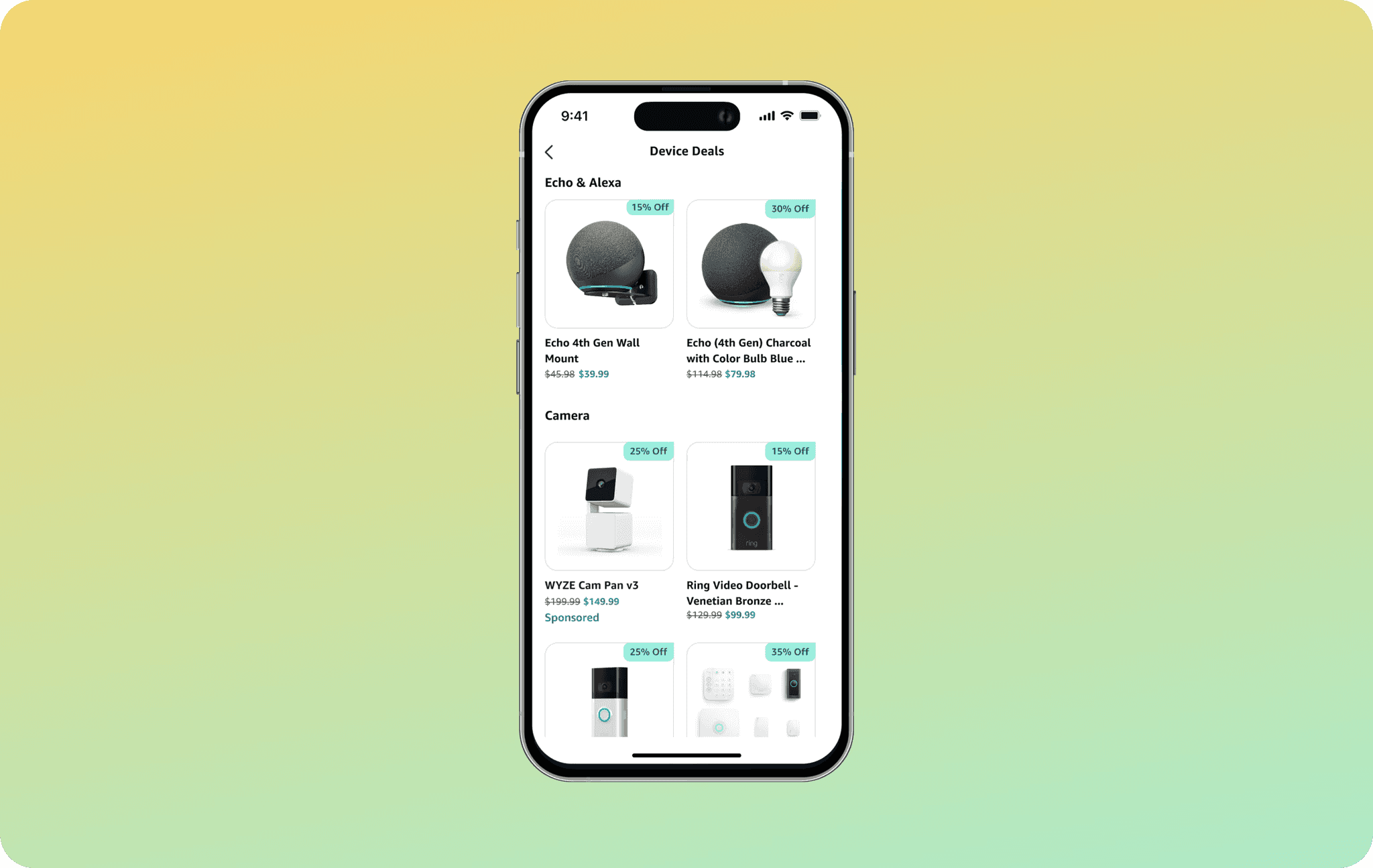
A dedicated space in the app where users can discover deals
on Alexa-enabled Amazon devices.
A dedicated space in the app where users can discover deals on Alexa-enabled Amazon devices.
Problem
The Alexa app is only as valuable as the devices a customer owns. To drive device sales and grow the ecosystem, the app needed a dedicated space to showcase compatible devices and deals.
The Alexa app is only as valuable as the devices a customer owns. To drive device sales and grow the ecosystem, the app needed a dedicated space to showcase compatible devices and deals.
Details
My Role: Lead Designer
Duration: 6 months
Scope: End-to-End process
Partners: Engineer, Product
My Role: Lead Designer
Duration: 6 months
Scope: End-to-End process
Partners: Engineer, Product
Early Explorations
Layouts
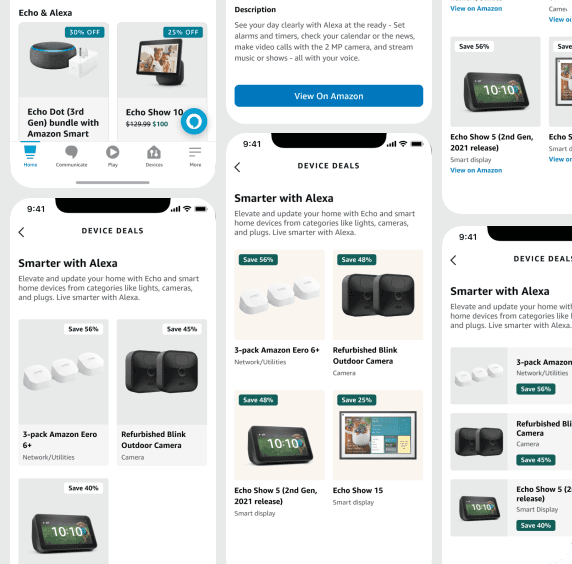
I explored a range of visual directions for this feature. The goal was simple: let users quickly see the product and its price, then send them to Amazon.com to buy.
This feature introduced a few firsts for the app. Actual device images had never been shown before, and displaying prices with strikethrough text was completely new territory for the Alexa app.
I explored a range of visual directions for this feature. The goal was simple: let users quickly see the product and its price, then send them to Amazon.com to buy.
This feature introduced a few firsts for the app. Actual device images had never been shown before, and displaying prices with strikethrough text was completely new territory for the Alexa app.
I explored a range of visual directions for this feature.
The goal was simple: let users quickly see the product and its price, then send them to Amazon.com to buy.
This feature introduced a few firsts for the app. Actual device images had never been shown before, and displaying prices with strikethrough text was completely new territory for the Alexa app.
Final Design
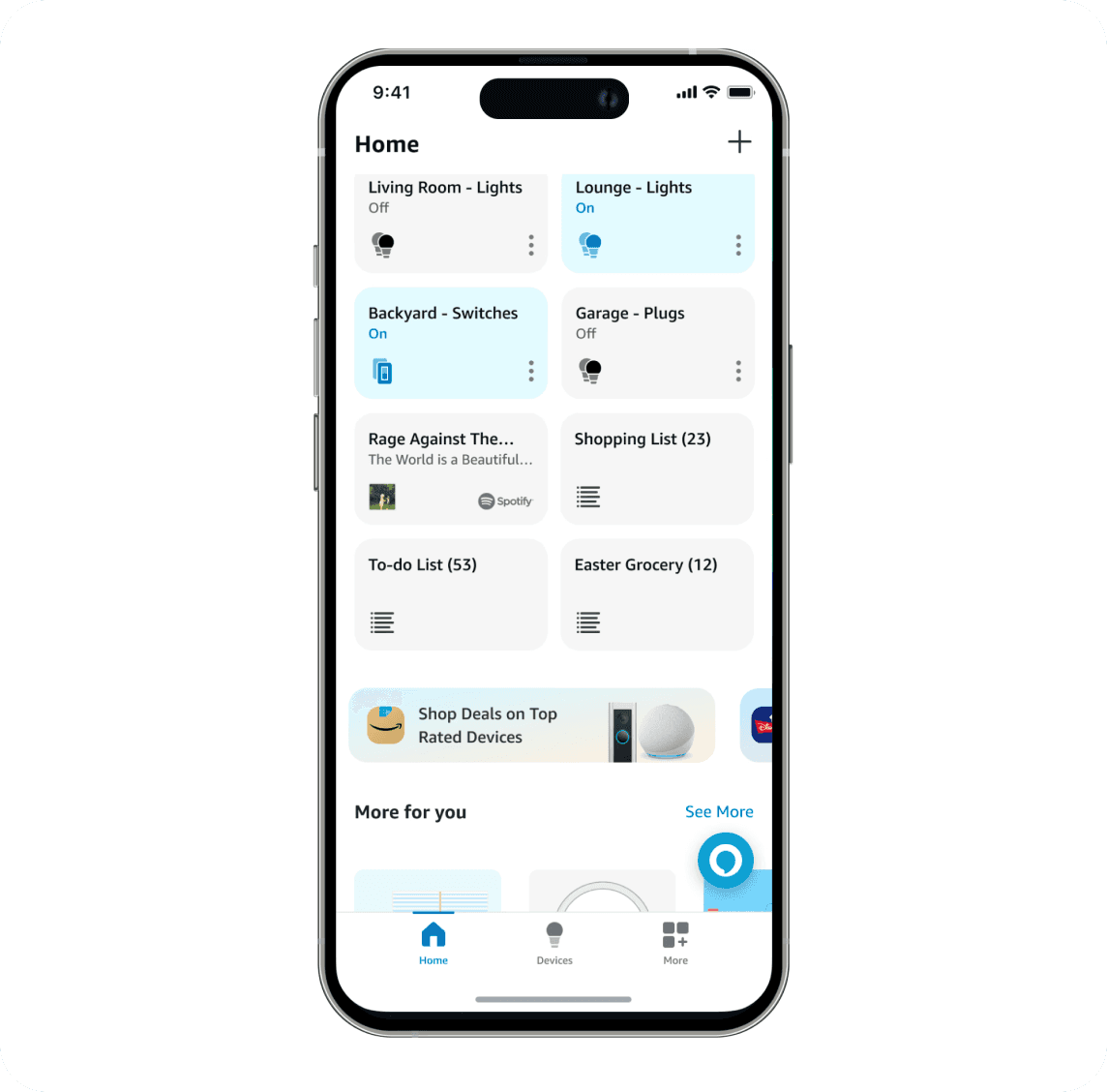
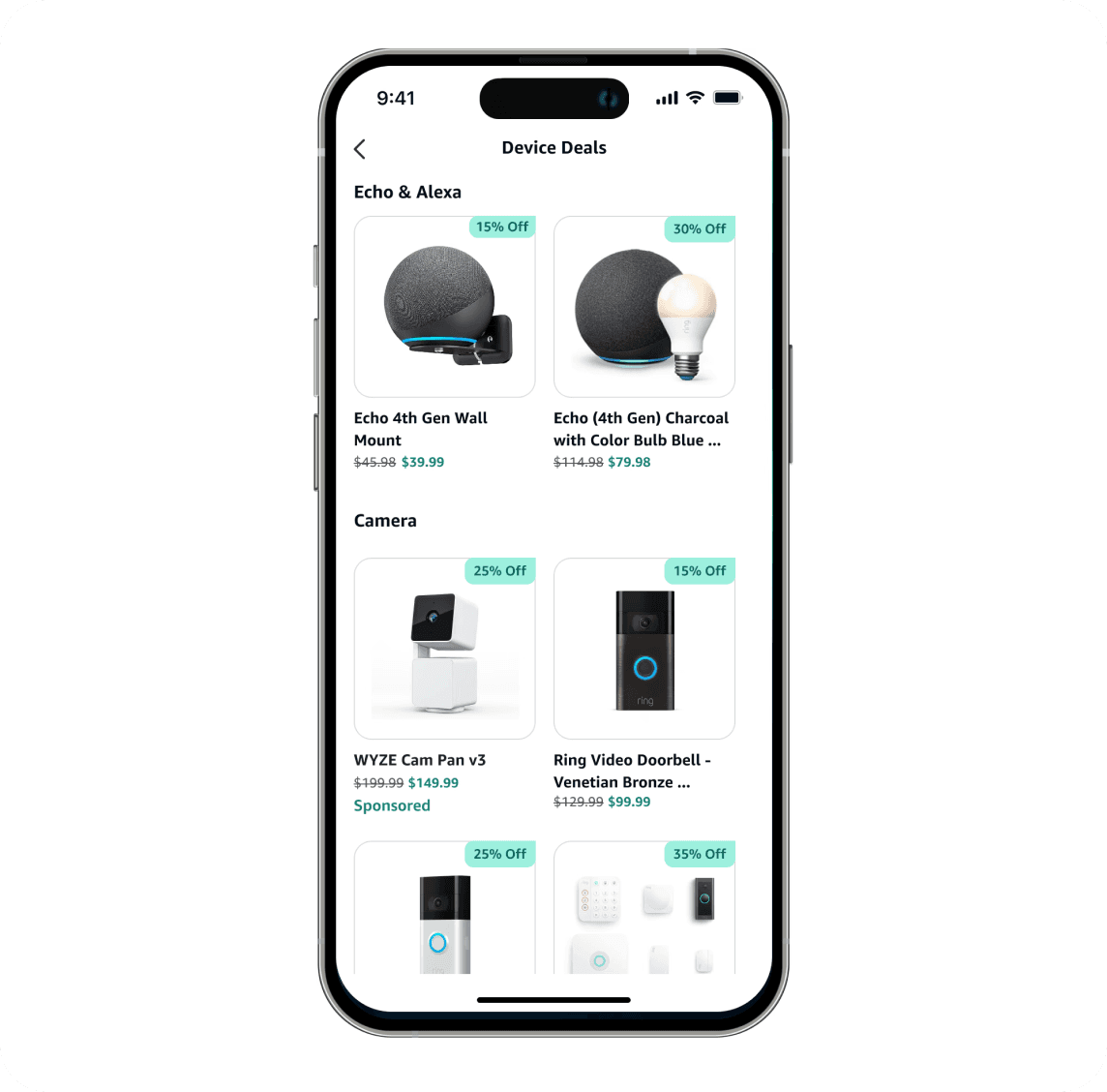
Device Deals appear as a card at the bottom of the Home Channel. Tapping it opens a full page showing current deals. Selecting any deal takes users directly to that product page on Amazon.com to complete their purchase.
Device Deals appear as a card at the bottom of the Home Channel. Tapping it opens a full page showing current deals. Selecting any deal takes users directly to that product page on Amazon.com to complete their purchase.
Derek Burkhardsmeier 2025